


Copyright 2025. Flowjam Inc.

How to Launch a Startup with Video: The 2026 Playbook
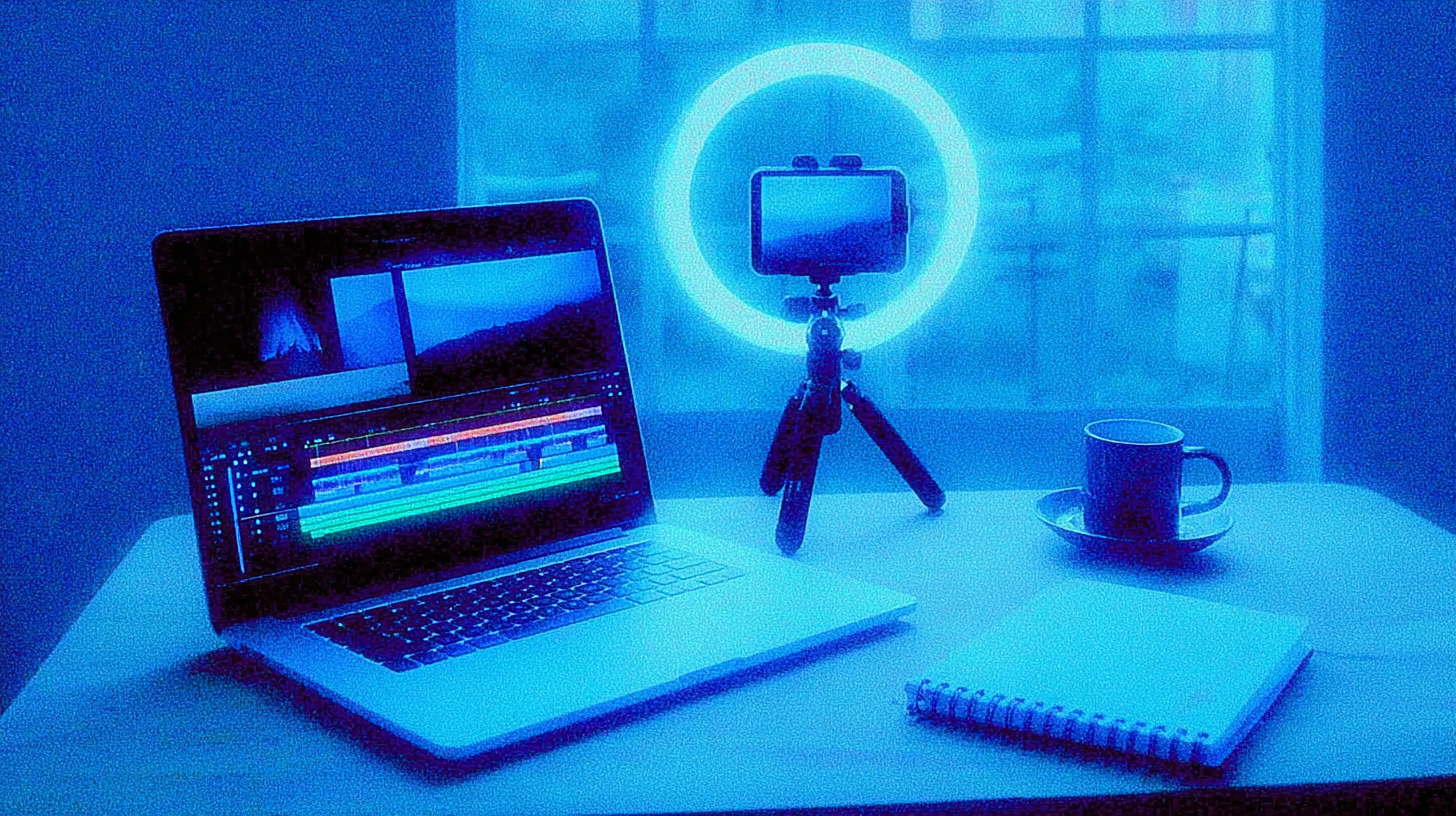
How to Launch a Startup with Video: The Founder’s Visual Launch Playbook
Last updated 2026
TL;DR
What it is: Using video as your primary launch asset to demonstrate product, build trust, and drive conversion—replacing or augmenting text-heavy launches.
Where to get it: Frameworks from Forbes startup launch strategies, Entrepreneur startup guide, and YouTube video launch walkthrough; [Flowjam template link] for scripts and checklists.
When to use it: Pre-launch validation, Product Hunt debut, funding announcements, or any moment where showing beats telling.
How to apply: Script 60–90 seconds → capture with phone or screen → edit with captions → distribute native to each platform → measure activation.
Critical win: Video converts 2–3x better than text landing pages; silent autoplay design is non-negotiable.
Ship today: Flowjam guide link — 48-hour launch video sprint.
You're launching and need traction fast. Not blog posts. Not press releases that no one reads. You searched how to launch a startup with video because you know attention is visual, trust is earned in seconds, and your product deserves to be seen in motion. This guide shows you exactly how to build, ship, and measure a video-led launch without a production team.
What is launching a startup with video?
Launching a startup with video is a go-to-market strategy that uses short-form video content—product demonstrations, founder narratives, and customer proof—as the primary vehicle for generating awareness, demonstrating value, and driving conversion, rather than relying on traditional text-based landing pages or press releases.
Definition: Launching a startup with video means using 60–90 second video assets as core launch collateral to demonstrate product functionality, establish founder credibility, and drive user acquisition through visual storytelling optimized for mobile feeds and silent autoplay.
How to launch a startup with video — Download & Quick Start
Where to Get Frameworks and Templates:
Forbes startup launch guide — strategic foundations for launch timing and market entry
Entrepreneur startup playbook — step-by-step business validation and early traction tactics
YouTube video launch tutorial — visual walkthrough of video production and distribution tactics
Flowjam template link — startup launch video script template with 60-second beat sheet
Flowjam guide link — 48-hour production checklist and distribution planner
Quick Start: 48-Hour Video Launch Sprint
Hour 0–2: Strategy lock — Define ICP, one-sentence value prop, single CTA (signup, waitlist, demo).
Hour 2–4: Script — 130 words, 5 beats: hook (3s), problem (12s), demo (30s), proof (10s), CTA (5s).
Hour 4–8: Capture — Founder voiceover + screen recording (Loom/Screen Studio) or phone B-roll.
Hour 8–16: Edit — Descript or CapCut, captions burned, 3 aspect ratios (16:9, 1:1, 9:16).
Hour 16–24: Landing page — Embed above fold, autoplay muted, thumbnail A/B test.
Hour 24–48: Distribute — Product Hunt, LinkedIn native, email list, YouTube Shorts, TikTok.
How to use it (step-by-step) — practical, not theoretical
Step 1: Strategy (Hours 0–2)
ICP definition: Who feels the pain most acutely? Video speaks to one person, not everyone.
Narrative arc: "From [pain] to [outcome] in [timeframe]." Specificity builds trust.
Offer clarity: Free trial, waitlist, or demo? One CTA only. Confusion kills conversion.
Step 2: Script and Storyboard (Hours 2–4)
0–3 seconds: Hook — "Still doing X manually?" or visual shock (notification overload, spreadsheet chaos).
3–15 seconds: Problem — Show, don't tell. Screen recording of legacy workflow. Founder voiceover optional.
15–45 seconds: Demo — Three clicks that prove value. Cursor visible, real data, loading states included.
45–55 seconds: Proof — "Trusted by X teams" or customer screenshot. Kinetic text, no voiceover dependency.
55–60 seconds: CTA — Single button, URL visible, urgency implied ("Join 500+ founders").
Step 3: Production (Hours 4–8)
Phone vs. camera: iPhone 14+ shoots 4K. Use it. Lighting matters more than lens—face window, use ring light if dark.
Screen capture: Loom for speed, Screen Studio for polish, OBS for control. Record at 1080p minimum.
Audio: Closet recording (clothes = sound treatment), $50 USB mic if budget allows, 6 inches from mouth.
Framing: Founder at 45-degree angle (not head-on), product shots fill frame, text safe zones for vertical cuts.
Step 4: Editing (Hours 8–16)
Cuts: No shot longer than 5 seconds. Jump cuts on voiceover maintain pace.
Captions: Burned in, 24pt minimum, high contrast. 85% watch muted; captions are primary audio.
Aspect ratios: 16:9 (web/YouTube), 1:1 (LinkedIn/IG feed), 9:16 (Stories/Reels/TikTok). Reframe, don't crop.
Music: Artlist or Epidemic Sound, 60–90 second bed with build at 45s. Pre-cleared only.
Step 5: Distribution (Hours 24–48)
Landing page: Hero embed, autoplay muted, loop last 15s, thumbnail A/B test.
Product Hunt: Native upload, 60 seconds max, thumbnail at peak action frame.
LinkedIn: 1:1 aspect, native upload, no link in post (kills reach), link in first comment.
Email list: GIF thumbnail to video, subject line "Watch: [Outcome] in 60 seconds."
YouTube Shorts/TikTok/IG Reels: 9:16, hook in frame 1, text-on-screen required, trending audio optional (risky for brands).
Step 6: Measurement (Ongoing)
3-second view rate: >40% = strong hook, <20% = reshoot first 5 seconds.
Completion rate: 60-second target = 50–70%. If <40%, cut 10 seconds.
CTR to landing page: >5% = clear CTA, <2% = button visibility or offer clarity issue.
Signups within 24h: Video-attributed conversion vs. control. Target: 2–3x text-only landing page.
Founders often miss this — The launch video isn't the finish line; it's the starting gun. Ship a 60-second version in 48 hours, measure completion rates, then cut the 45-second version that actually converts. Perfect is the enemy of launched.
Comparison — Video-led launch vs alternatives
Option: Video-Led Launch
When to use: Pre-launch validation, Product Hunt, funding announcements, complex products needing demonstration, founder-led brands
Pros: 2–3x conversion vs. text, builds trust through transparency, scalable across channels, evergreen asset
Cons: Production time (2–48 hours), requires editing skills or budget, maintenance as product evolves
Speed: 48 hours DIY, 1–2 weeks with editor
Cost: $0–$500 DIY, $1,000–$5,000 with production support
Reach: Unlimited via social algorithms, shareable, embeddable
Trust: High—seeing product work beats reading claims
Conversion: Highest—demo + CTA in same flow
Option: Text-Only Landing Page
When to use: Simple products, SEO-dependent acquisition, technical buyers who prefer reading, extreme budget constraints
Pros: Fast to build, easy to iterate, SEO indexable, accessible
Cons: Low engagement, no emotional connection, harder to differentiate, declining mobile attention
Speed: 4–8 hours
Cost: $0–$100 (tools)
Reach: Organic search only
Trust: Medium—claims without proof
Conversion: Baseline—1/3 of video-led
Option: Blog/Press Release
When to use: Established companies, major funding news, thought leadership, SEO long-game
Pros: Credibility via publication, backlinks, detailed narrative
Cons: Zero immediate conversion, paywalled reach, declining readership, not shareable
Speed: 1–2 weeks (drafting + placement)
Cost: $0–$2,000 (writing + distribution)
Reach: Publication-dependent, often limited
Trust: High via third-party validation, low via direct impact
Conversion: Minimal—awareness only
Option: Live Demo/Webinar
When to use: Enterprise sales, complex products, community building, high-touch validation
Pros: Interactive, handles objections, builds relationships, high trust
Cons: Time-intensive, scheduling friction, no async scaling, timezone hell
Speed: 1–2 weeks promotion + live event
Cost: $0–$1,000 (tools + promotion)
Reach: Limited to registrants
Trust: Highest—human connection
Conversion: High for attendees, low reach
Option: Product Hunt-Only Launch
When to use: Tech products, maker community, early adopter tools, validation before scaling
Pros: Built-in audience, social proof, immediate feedback, SEO boost
Cons: Single day of attention, competitive noise, no owned audience, requires supporting assets
Speed: 1–2 weeks preparation
Cost: $0 (organic), $500–$2,000 (promoted)
Reach: PH community + Twitter spillover
Trust: Community-validated
Conversion: Moderate—curiosity high, commitment variable
Option: Social-Only Teaser
When to use: Pre-launch hype, waitlist building, brand awareness, FOMO generation
Pros: Fast, cheap, algorithmic reach, easy to iterate
Cons: No product proof, low intent, vanity metrics, hard to convert to action
Speed: 2–4 hours
Cost: $0–$200 (creative)
Reach: Algorithm-dependent
Trust: Low—hype without substance
Conversion: Lowest—awareness only
Decision Framework:
Need conversion now: Video-led launch
Need awareness cheap: Social-only teaser
Need enterprise trust: Live demo + video follow-up
Need SEO long-term: Blog + video embed
Need community validation: Product Hunt with video asset
Practical Tips & Cautions
Start with the CTA: Write your signup button text first. If you can't state the action in 5 words, your video has no purpose.
Script to 130 words: 60 seconds at 130 WPM. Every word over costs you a viewer. Cut features, not seconds.
Hook in 3 seconds: First frame must show value. No logos, no "Hi, I'm..." intros, no animated title cards.
Design for silent autoplay: 85% of mobile video plays muted. If your narrative requires audio, it fails. Burn captions.
Phone quality is enough: iPhone 14+ in good light beats DSLR in bad light. Face window, shoot 4K, stabilize with tripod or stack of books.
One platform at a time: Don't cross-post identical video. Native upload to LinkedIn (1:1), Reels (9:16), YouTube (16:9). Algorithms punish lazy distribution.
Measure 3-second view rate: <20% means your thumbnail or hook is broken. Fix before optimizing deeper metrics.
Music licensing matters: Use Artlist, Epidemic Sound, or Musicbed. "Free" music triggers Content ID claims that kill launch day momentum.
Captions are non-negotiable: Burn in high-contrast text. SRT files get stripped on Instagram and TikTok.
Ship then polish: 60-second video watched by 1,000 people beats perfect 90-second video in editing for 2 weeks. Publish, measure, iterate.
Claims require proof: "10x faster" needs side-by-side screen recording. "Trusted by 500+" needs screenshot. [Add link/asset placeholder] for testimonial release templates.
Accessibility: High contrast captions, avoid flashing imagery, provide transcript for screen readers. Consult counsel for testimonial rights and music licensing if uncertain.
FAQs
What is the best video format for launching a startup?
60–90 seconds, 16:9 for web/YouTube, 1:1 for LinkedIn/Instagram feed, 9:16 for Stories/Reels/TikTok. Structure: 3s hook, 12s problem, 30s demo, 10s proof, 5s CTA. Burn captions. Native upload to each platform.
How long should a startup launch video be?
60 seconds optimal for feed-based launches (LinkedIn, Product Hunt, paid social). 90 seconds maximum for landing pages and email. Every second beyond 60 reduces completion rate by 8–12%. Shorter is better than comprehensive.
What tools do I need to make a launch video fast?
Script: Google Docs or Notion. Capture: Loom, Screen Studio, or iPhone 14+. Edit: Descript (text-based, auto-captions), CapCut (mobile), or iMovie. Audio: Artlist or Epidemic Sound. Hosting: Wistia, Vimeo, or native platform upload. Total cost: $0–$50/month.
Where should I distribute my startup launch video?
Priority: Landing page hero (autoplay muted), Product Hunt (native upload), LinkedIn (1:1, no link in post), email list (GIF thumbnail). Secondary: YouTube Shorts, TikTok, Instagram Reels (9:16), Twitter/X (native upload). Avoid: YouTube long-form (intent mismatch), paid cold traffic (optimize organic first).
How do I measure the success of a launch video?
Primary: 3-second view rate (>40% = strong hook), completion rate (>50% for 60s), CTR to landing page (>5%). Secondary: Signups within 24 hours of view, cost per acquisition vs. text-only, share rate. Tertiary: Brand search lift, inbound email volume, investor inbound.
What mistakes should I avoid in a startup launch video?
Starting with logo animation, explaining features instead of outcomes, no captions (muted failure), multiple CTAs (confused action), 16:9 cropped to vertical (illegible text), feature bloat (saying everything), perfect polish over shipped speed, ignoring mobile framing (text in safe zones), using unlicensed music (Content ID death), no proof for claims (trust killer).
Can I launch with video if I have no budget?
Yes. iPhone + Loom + Descript free tier = $0. Script in 30 minutes, capture in 2 hours, edit in 4 hours, ship same day. See YouTube tutorial for zero-budget techniques. Quality of clarity beats quality of production at pre-seed stage.
Should I hire a videographer or do it myself?
DIY for pre-seed and seed—authenticity and speed matter more than polish. Hire editor ($500–$2,000) at Series A when brand consistency scales. Full production team ($5,000–$15,000) only for brand campaigns, not launch validation.
Conclusion
How to launch a startup with video isn't a production challenge—it's a clarity challenge. Strip away everything that doesn't drive action. Show your product working. Make the ask explicit. Ship before you're comfortable.
The founders who win aren't the ones with the best cameras. They're the ones who published.

Got Questions?
We've Got Answers.
What's your email?
Need to email us? Send emails to adam@flowjam.com
What's the process?
Once you place your order, you'll be directed to a short form where you provide key details about your product and vision.
As soon as we receive it, we start writing the script—typically crafting 2-3 versions in different tones for you to choose from.
Within 1-2 days, we’ll send the script for your approval. Once approved, we move on to the storyboard, ensuring every scene aligns with your vision before we begin animation.
When the final video is ready, you get unlimited revisions to make sure it’s exactly what you want.
How does the turnaround time work?
We pride ourselves on fast delivery without sacrificing quality.
Unlike agencies that drag projects out for months, we work efficiently to get your video done in weeks.
If there are any unexpected delays, we’ll keep you informed every step of the way.
How many rounds of revisions are included?
All revisions are unlimited—we don’t stop until you’re 100% happy with the final video.
Who owns the rights?
You do. Unlike some agencies that charge extra for licensing, everything we create is yours to use however you want, with no hidden fees.
How do I get started?
You can purchase and start the process directly from our website.
Click the purchase button, fill out the form with your project details, and complete the payment.
If you have any questions before getting started, feel free to book a call.
Can I get a refund?
We do not offer refunds due to the creative nature of this service. All customers have a chance to review and agree to our Service Agreement prior to engaging with us. We offer unlimited revisions so we will work on the video as much as it needs until you love it!
What makes your launch videos different?
We focus on story-driven, high-converting videos that don’t just explain your software—they build hype and increase conversions. Our streamlined process delivers agency-quality videos without the bloated costs or long timelines.
Can you help with scriptwriting if I don’t know what I want?
Absolutely. We don’t expect you to have everything figured out—that’s our job. Our team will craft multiple script options based on your product and audience, ensuring the final video feels on-brand and compelling.
Do you offer voiceover and music?
Yes, every video includes a professional voiceover and background music at no additional cost. We work with a range of voice actors to match your brand’s tone.
What if I need the video faster?
If you’re on a tight deadline, let us know. We offer rush delivery options, depending on our current workload.
Launch videos for
moon-shot founders.

Founder
adam@flowjam.com