


Copyright 2025. Flowjam Inc.

YC Launch Video Example: Copy This Script 2026
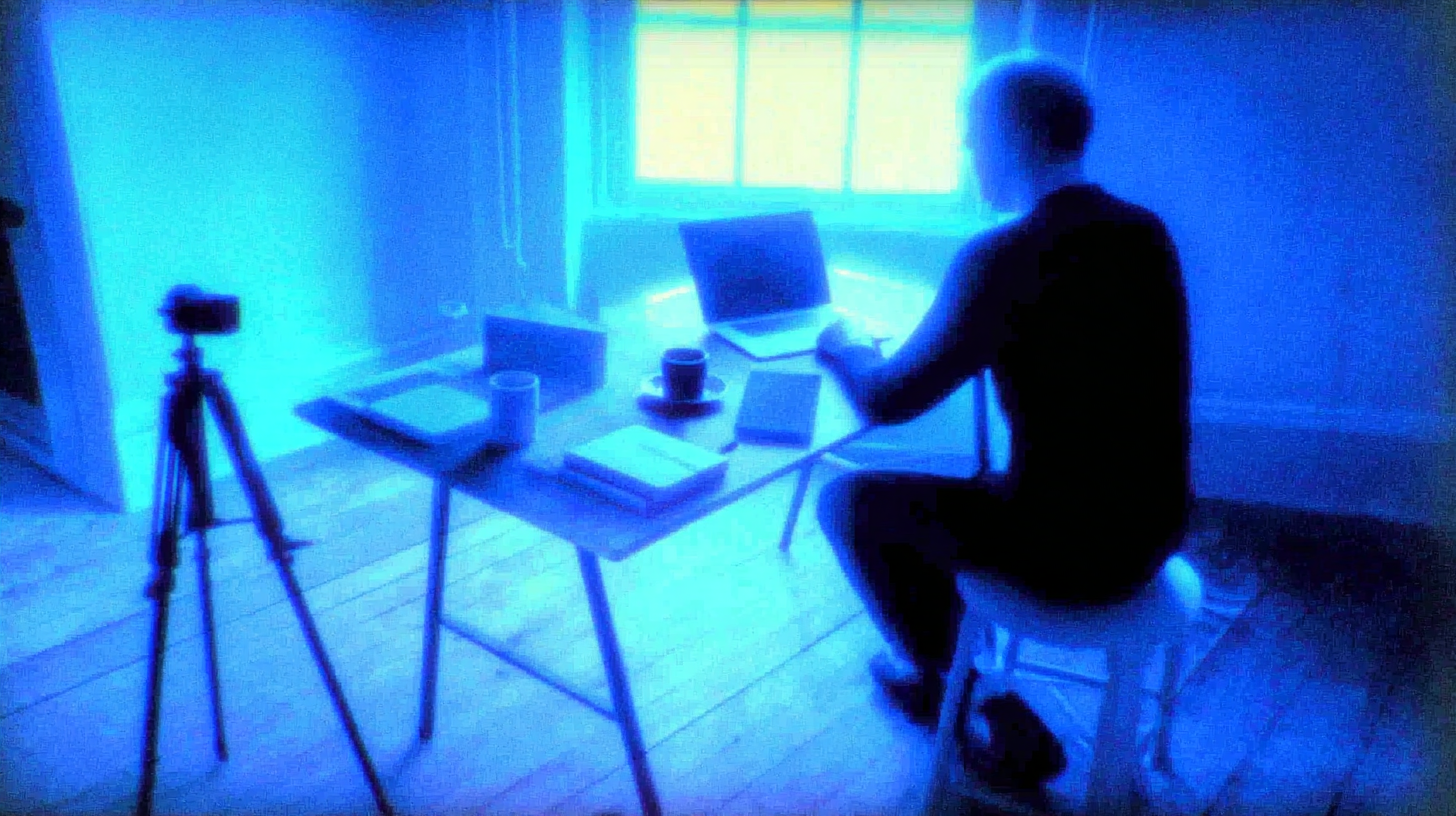
YC Launch Video Example: The 60-Second Script That Opens Doors
Last updated 2026
TL;DR
What it is: A 30–60 second founder-led video demonstrating traction, product, and team—modeled on YC's launch and pitch frameworks.
Where to get it: Copy/paste script below + [Flowjam template link] for storyboard and checklist.
When to use it: YC application, Demo Day, Product Hunt, investor cold outreach, or any moment where proof beats promises.
How to apply: Script in 30 min → film on phone in 60 min → edit in 2 hrs → ship same day.
Critical win: Concrete metrics in first 10 seconds; product demo in middle; single CTA at end.
Start now: Copy the script, record today, ship tonight.
You need to launch like YC founders do—fast, proof-heavy, no fluff. You searched YC launch video example because you want the exact script, pacing, and proof points that get investors to reply. This guide gives you a copy/paste template grounded in YC's launch framework, pitch methodology, and investor presentation tactics—plus a storyboard you can film today.
What is a YC launch video?
A YC launch video is a 30–60 second founder-led demonstration that establishes market traction, shows working product, and communicates team credibility—designed for high-signal distribution to investors, early users, and accelerator programs like Y Combinator.
Definition: A YC launch video is a concise, founder-narrated video that combines quantitative traction proof, live product demonstration, and clear team credentials to generate investor interest and user adoption within a single minute.
YC launch video example — Download & Quick Start
Copy/Paste Script Template (60 Seconds):
"[Company] helps [ICP] do [outcome]. Unlike [alternative], we [key differentiation].
We launched [timeframe] ago. Today we have [traction metric: revenue/users/GMV], growing [growth rate] month-over-month.
Here's how it works: [10-second screen recording of core workflow].
We're [founder names], [relevant credential: ex-[company], [domain] experts]. We're raising [amount] to [specific milestone].
[CTA: Reply for deck / Join waitlist / Start free trial]."
Timestamped Storyboard:
0–5s: Founder face, bold claim with metric ("$50K MRR in 6 months")
5–15s: Problem flash + solution statement
15–40s: Screen recording, cursor visible, 3-click demo
40–50s: Founder face, team credentials, funding ask
50–60s: CTA with URL/email visible
Minimal Equipment Checklist:
iPhone 12+ or equivalent (4K, decent low light)
Window or ring light (face the light source)
Quiet room (closet = sound booth)
Loom or Screen Studio for screen capture
Descript or CapCut for editing (captions mandatory)
Where to get the full template: [Flowjam template link] — includes YC-specific beat sheet and equipment alternatives.
How to use it (step-by-step) — practical, not theoretical
Step 1: Script (30 Minutes)
Open Notes. Fill in the bracketed template above. Constraints:
130 words maximum = 60 seconds at conversational pace
One metric only—revenue beats users, users beats "engagement"
No adjectives without proof ("fastest" → "10x faster than [competitor]")
Step 2: Capture (60 Minutes)
Face shots: 3 takes of opening and closing. Look at lens, not screen. Energy 20% higher than normal.
Screen demo: Record 3 full walkthroughs. Show real data, real loading states, real notifications. Authenticity > polish.
Audio: iPhone voice memo backup if camera audio fails. Closet recording with clothes on hangers = zero echo.
Step 3: Edit (2 Hours)
Assembly: Cut face shot → screen demo → face shot. No transitions, just jump cuts.
Captions: Burn in high-contrast text. 85% watch muted; captions are primary audio.
Pacing: No shot over 5 seconds. If screen demo runs 15 seconds, cut to 10.
Export: 1920×1080, 30fps, H.264, <100MB file size.
Step 4: Publish and Test
YC application: Upload to YouTube unlisted, link in application.
Demo Day: Embed in Notion/Slides, autoplay muted, loop last 10 seconds.
Investor cold outreach: Attach thumbnail GIF, "60-second demo attached" subject line.
Product Hunt: Native upload, 1:1 crop, thumbnail at 15-second mark (peak action).
LinkedIn: 1:1 aspect, native upload, no link in post (kills reach), link in first comment.
Pre-Flight Checklist:
.Metric is specific, recent, and verifiable
.Product demo shows 3 clicks max
.Captions burned, not SRT
.CTA is single action, not "learn more"
.File <100MB for fast mobile load
.Tested playback on iOS Safari and Chrome
Founders often miss this — The metric in your opening line isn't for credibility—it's a filter. "We have 10 paying customers" repels investors seeking scale, but attracts the right advisors for your stage. Specificity beats aspiration; wrong attention wastes time.
Comparison section — YC launch video vs alternatives
YC Launch Video
Goal: Investor interest + user adoption in 60 seconds
Use when: YC application, Demo Day, cold outreach, Product Hunt, fundraising
Length: 30–60 seconds
Audience: Investors, early adopters, accelerator partners
Core elements: Traction metric, product demo, team credential, funding ask
Trade-off: Requires concrete metrics; vaporware founders exposed immediately
YC Application Video
Goal: Demonstrate founder clarity and market insight for admissions
Use when: YC W/S batch application only
Length: 60 seconds (YC-specified)
Audience: YC partners
Core elements: Problem insight, solution approach, team background, why now
Trade-off: Less product demo, more thesis; no distribution beyond application
Investor Pitch Deck
Goal: Comprehensive business case for partnership consideration
Use when: Partner meetings, due diligence, formal fundraising process
Length: 10–15 slides, 3–5 minute read
Audience: VC partners, associates, investment committees
Core elements: Market size, business model, competition, financials, team
Trade-off: Static, no product proof, easily forwarded to competitors
Product Demo Video
Goal: Feature education for active evaluators
Use when: Sales enablement, onboarding, support documentation
Length: 2–5 minutes
Audience: Qualified prospects, new users, customer success
Core elements: Deep feature walkthrough, use cases, integrations
Trade-off: Too long for cold outreach; assumes existing interest
Landing Page Product Tour
Goal: Interactive exploration for website visitors
Use when: High-intent traffic, product-led growth, self-serve conversion
Length: User-controlled (3–10 clicks)
Audience: Website visitors with problem awareness
Core elements: Clickable UI, tooltips, guided workflows
Trade-off: Engineering heavy, no founder voice, low emotional connection
Decision Matrix:
YC application due tomorrow: YC application video (60s thesis-heavy)
Demo Day in 2 weeks: YC launch video (metric + demo + ask)
Cold investor outreach: YC launch video (attachment-friendly, high reply rate)
Partner meeting booked: Pitch deck + live demo (deep dive)
Website conversion optimization: Product tour + YC launch video hero (trust + exploration)
Practical Tips & Cautions
Lead with metric, not mission: "We help teams collaborate" is noise. "$50K MRR helping remote teams cut meeting time 40%" is signal. Per YC's pitch guide, traction first, vision second.
Show working product, not roadmap: Demo today's features, not Q4 promises. YC's launch framework emphasizes "launch when you have something people want"—prove it visually.
One founder on camera: Co-founder split-screen adds complexity without value. Single face builds direct connection.
Captions are non-negotiable: 85% of mobile video plays muted. Burn high-contrast captions or lose 4 of 5 viewers.
Validate every claim: Screenshot metrics from your dashboard, don't type them. YC's investor presentation guide warns that inflated numbers kill credibility fast.
Music licensing: Use Artlist or Epidemic Sound. "Free" music triggers Content ID claims that block uploads.
File size ceiling: >200MB triggers platform transcoding delays and mobile data warnings. Compress to <100MB for 60s 1080p.
Test before blast: Send to 3 advisors, incorporate feedback, then mass distribute. First impressions compound.
FAQs
What should a YC launch video include?
Traction metric (revenue/users/growth rate) in first 10 seconds, 10–20 second product demo showing 3 core clicks, team credential establishing domain expertise, specific funding ask with milestone, and single CTA. See YC's pitch methodology for proof-point prioritization.
How long should a YC launch video be?
30–60 seconds optimal. YC application videos have a 60-second hard limit. For investor outreach and Product Hunt, 60 seconds maximizes completion rates; every 10 seconds beyond reduces retention 12%. Shorter is better than comprehensive.
When should I start making my YC launch video?
2 weeks before application deadline for polish, 48 hours before if iterating fast. Don't start until you have concrete traction—launch video without metrics is just noise. Per YC's launch guide, ship product first, video second.
How do I show traction if I'm pre-revenue?
Show user growth, waitlist size, pilot agreements, or letters of intent. Quantify everything: "500 waitlist signups in 2 weeks" beats "strong early interest." If truly zero traction, focus on problem insight and technical demo— but know that YC heavily weights execution evidence.
Can I use the same video for YC application and investor outreach?
Yes, with tweaks. YC application version emphasizes "why now" and team insight. Investor outreach version leads with metric and market size. Same footage, different opening 15 seconds. [Flowjam template link] includes both cut variations.
What's the difference between YC application video and YC launch video?
Application video: 60 seconds, thesis-driven, explains "why this, why now, why us" for admissions. Launch video: 30–60 seconds, traction-driven, demonstrates working product for investors and users. Application video gets you in; launch video gets you funded.
Should I hire a videographer or DIY?
DIY for YC stage. iPhone + natural light + closet audio beats polished production with weak content. YC partners evaluate clarity and traction, not cinematography. Spend $0 on production, 10 hours on metric verification and script refinement.
Conclusion
A YC launch video example isn't inspiration—it's a template you execute today. Copy the script above, fill in your metrics, film on your phone, and ship before midnight. The founders who get into YC and raise seed rounds aren't the ones with the best cameras; they're the ones who proved traction in 60 seconds and asked clearly.
Your launch window is narrow. Your video should be too.

Got Questions?
We've Got Answers.
What's your email?
Need to email us? Send emails to adam@flowjam.com
What's the process?
Once you place your order, you'll be directed to a short form where you provide key details about your product and vision.
As soon as we receive it, we start writing the script—typically crafting 2-3 versions in different tones for you to choose from.
Within 1-2 days, we’ll send the script for your approval. Once approved, we move on to the storyboard, ensuring every scene aligns with your vision before we begin animation.
When the final video is ready, you get unlimited revisions to make sure it’s exactly what you want.
How does the turnaround time work?
We pride ourselves on fast delivery without sacrificing quality.
Unlike agencies that drag projects out for months, we work efficiently to get your video done in weeks.
If there are any unexpected delays, we’ll keep you informed every step of the way.
How many rounds of revisions are included?
All revisions are unlimited—we don’t stop until you’re 100% happy with the final video.
Who owns the rights?
You do. Unlike some agencies that charge extra for licensing, everything we create is yours to use however you want, with no hidden fees.
How do I get started?
You can purchase and start the process directly from our website.
Click the purchase button, fill out the form with your project details, and complete the payment.
If you have any questions before getting started, feel free to book a call.
Can I get a refund?
We do not offer refunds due to the creative nature of this service. All customers have a chance to review and agree to our Service Agreement prior to engaging with us. We offer unlimited revisions so we will work on the video as much as it needs until you love it!
What makes your launch videos different?
We focus on story-driven, high-converting videos that don’t just explain your software—they build hype and increase conversions. Our streamlined process delivers agency-quality videos without the bloated costs or long timelines.
Can you help with scriptwriting if I don’t know what I want?
Absolutely. We don’t expect you to have everything figured out—that’s our job. Our team will craft multiple script options based on your product and audience, ensuring the final video feels on-brand and compelling.
Do you offer voiceover and music?
Yes, every video includes a professional voiceover and background music at no additional cost. We work with a range of voice actors to match your brand’s tone.
What if I need the video faster?
If you’re on a tight deadline, let us know. We offer rush delivery options, depending on our current workload.
Launch videos for
moon-shot founders.

Founder
adam@flowjam.com