


Copyright 2025. Flowjam Inc.

YC Style Launch Video: Demo Day Ready 2026
YC Style Launch Video: Demo Day Ready 2026
Last updated 2026
TL;DR
Where to get it: Use [Flowjam template link] and methodology from YC Library guides.
What it is: A YC style launch video is a raw, screen-heavy demo that proves product-market fit in 60 seconds—founder narrated, zero polish.
When to use it: Pre-Demo Day, Product Hunt launches, cold investor emails—when proof beats production value.
How to apply: Script the hook in 5 seconds → Screen record the "wow" moment → Hard cut at 60s → Ship in 48 hours.
Cost/time: $0–$500; 2–48 hours to publish.
CTA: Download the template and publish within 48 hours.
A YC style launch video (YC Library, Launch Guide) is your shortcut to Demo Day attention and investor replies. Unlike polished agency spots, this format prioritizes raw screen recording, founder narration, and proof-over-pizzazz. Use it when you need to show investors the product works—not tell them—in under 60 seconds. Apply it by scripting a problem-focused hook, recording UI walkthroughs with clean audio, and embedding it above your deck link in cold emails. In 2025, investors expect this speed of communication.
What is YC style launch video?
A YC style launch video is a concise, authentic product demonstration—typically 60 seconds or less—featuring direct founder narration and unpolished screen recordings to prove product-market fit before Demo Day. It prioritizes clarity and speed over production value to communicate traction and functionality to investors and early adopters.
According to YC's guide on making great launch videos, this format emphasizes showing the product actually working rather than describing vision, often recorded in a single take with minimal editing.
YC style launch video — Download & Quick Start
Where to get it:Follow the playbook in YC's how-to guide or grab the scripting template at [Flowjam template link].
Quick-start steps:
Problem hook (0:05): State the painful workflow your ICP hates, not your company mission.
Screen demo (0:45): Show the feature solving it—clear cursor movement, no voiceover during loading.
Traction close (0:10): User count or revenue number + one URL demo link.
Export specs: 1080p, 24fps, burned-in captions, <50MB for email compatibility.
Distribution: Embed top-of-fold in investor emails, Product Hunt gallery video slot, and LinkedIn native video.
How to use it (step-by-step) — practical, not theoretical
Script (15 mins): Hook = specific customer pain. Solution = 3-click demo walkthrough. Close = traction metric + demo link. Use YC's pitch framework for clarity.
Shot list (5 mins): Frame 1 (founder face for 3s), Frame 2–55 (screen recording with highlighted cursor), Frame 56–60 (traction slide). No b-roll.
On-screen demo: Record at 1080p/24fps. Zoom cursor to 120%. Keep clicks under 3 seconds apart to maintain pacing.
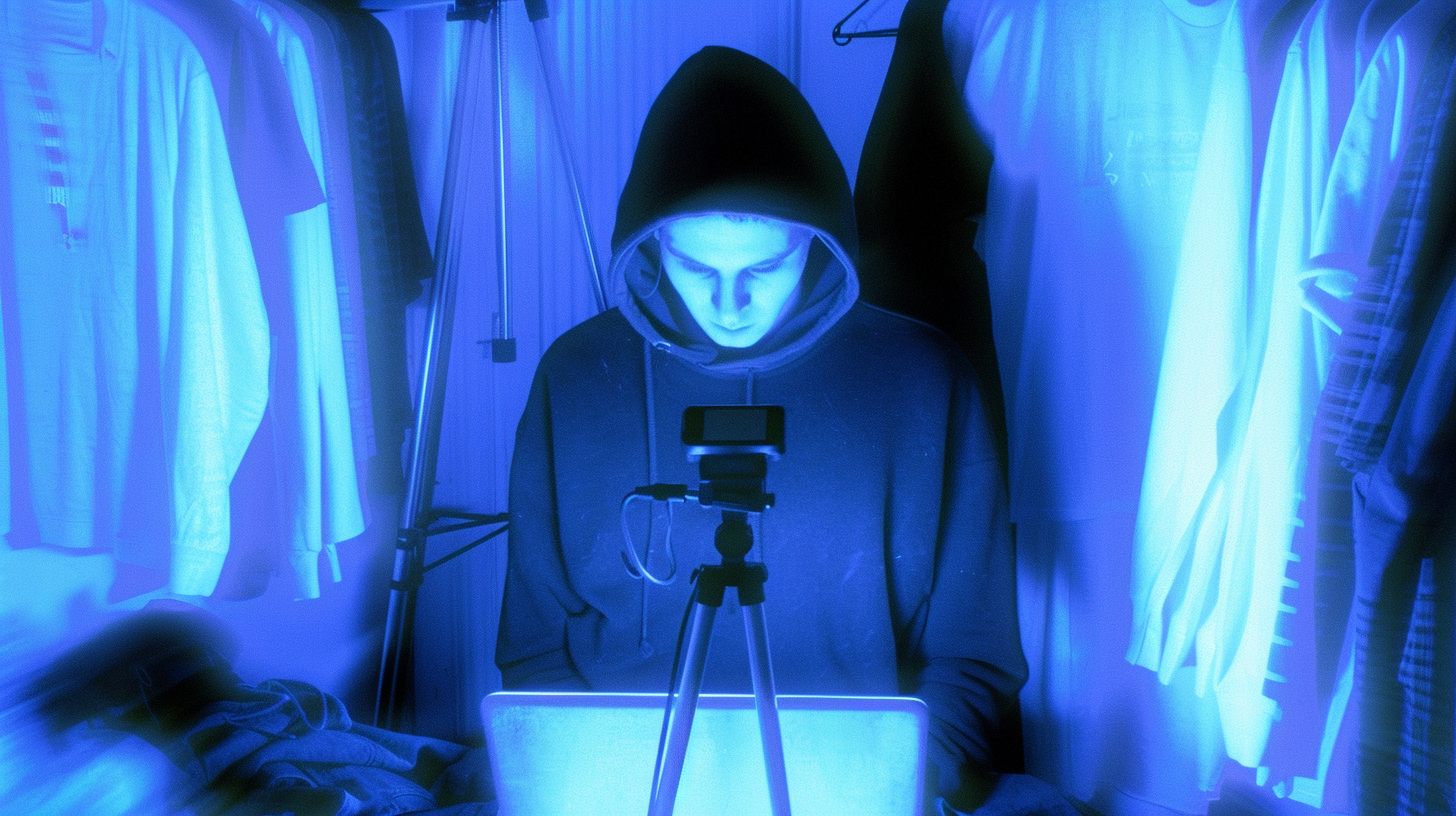
Audio: Founder voice only. Use a $30 wired lapel mic in a closet for acoustics. Normalize audio to -16 LUFS. No music.
Length: Hard stop at 60 seconds. Cut filler words ("um," "like") mercilessly—YC videos respect investor time.
CTA: Single on-screen URL and voiceover direction. "Try the demo at [URL]" only once.
Export: H.264 MP4. Optimize for mobile viewing (captions legible on iPhone).
Posting: YouTube unlisted (for investor tracking), Product Hunt (public launch), Wistia/Vidyard (heatmap analytics).
Founders often miss this — the "YC style" specifically requires showing your worst UI state before the fix, not just the glossy final screen, because proving you solve a real messy problem converts better than polished empty states.
Comparison section
Alternative: Product Hunt Teaser GIF
Best for: Pre-launch hype before video production is complete
Pros: Auto-plays, lightweight, stops thumb scroll without sound
Cons: No audio narration, cannot explain complex workflows, low credibility proof
When to prefer YC style launch video: When you need to demonstrate founder voice, explain technical nuance, or prove product speed with audio narration
Alternative: Pitch Deck Video
Best for: Fundraising narrative and vision-setting for Series A+
Pros: High production value, emotional storytelling, cinematic credibility
Cons: 2–3 minute runtime (too long), delays launch by 4–6 weeks, high cost
When to prefer YC style launch video: When Demo Day is 48 hours away and speed of iteration matters more than emotional polish
Alternative: Landing Page GIF/Screenshot Carousel
Best for: Static feature documentation for SEO pages
Pros: Always visible, instant loading, no production time
Cons: Passive consumption, no founder presence, cannot demonstrate narrative flow
When to prefer YC style launch video: When you need human trust, voice, and asynchronous demo capability to close investor meetings
Alternative: Webinar/Live Demo
Best for: Sales enablement at scale and existing user education
Pros: Interactive Q&A, real-time objection handling, high engagement
Cons: Scheduled time commitment, 60%+ drop-off before start, timezone coordination
When to prefer YC style launch video: When you need "always-on" proof that converts investors while you sleep, without calendar friction
Practical Tips & Cautions
Start with the cursor: The first frame should show your app interface loading, not your face. Investors click for product utility, not founder headshots.
Caption everything: 80% of Product Hunt and LinkedIn feeds are muted; burned-in subtitles are mandatory for completion rates.
Show loading states honestly: If your app takes 2 seconds to load, show it. YC-style authenticity includes proving speed (or acknowledging latency), not hiding behind cuts.
Avoid stock footage: One second of generic "team working" kills the raw credibility that defines the YC aesthetic—use only real product screens.
Loop the audio test: Listen on iPhone speakers at 50% volume; if you cannot understand the first 5 seconds in a noisy cafe, re-record the hook.
Secure raw screen files: Keep the unedited screen recording separate from the final cut; investors often ask to see "feature X" unprompted during diligence.
FAQs
What makes a video "YC style" vs. a regular product video?
A YC style launch video prioritizes raw screen recordings, founder voiceover, and sub-60-second runtime to prove product-market fit immediately. Regular product videos often use animation, third-party voice talent, and lifestyle footage—acceptable for marketing, but too slow for Demo Day contexts where proof is required.
How long should a YC style launch video be?
Maximum 60 seconds. Ideally 45 seconds. YC partners and investors scan dozens of launches daily; videos exceeding one minute see exponential drop-off. Cut mercilessly—if a frame doesn't show product functionality or traction, delete it.
Do I need professional equipment for a YC style launch video?
No. YC guidelines emphasize that QuickTime screen recording + iPhone voice memo audio recorded in a closet exceeds most studio quality. Spend $0 on cameras; spend 30 minutes ensuring the UI demo flows logically.
Should I use background music in my YC style launch video?
No. Music distracts from information density. YC videos prioritize founder narration clarity. If audio feels "empty," tighten the script rather than adding beds or tracks.
Where do I publish my YC style launch video?
Primary: Product Hunt gallery (first video slot). Secondary: YouTube unlisted (for investor emails), LinkedIn native (for hiring/brand), and embedded top-of-fold in cold fundraising emails above the deck attachment.
Can I make a YC style video if my UI is ugly or unfinished?
Yes. Authenticity beats aesthetics. Show the functionality working; if UI is rough, mention "v1" or "beta" in the voiceover while demonstrating the core value prop. Investors fund proof, not pixel polish.
What is the #1 mistake founders make with launch videos?
Talking about features instead of showing the 3-click solution to a painful problem. YC style demands you demonstrate the "before" state (spreadsheet chaos) and the "after" state (your app fixing it) within the first 20 seconds.
Conclusion
The YC style launch video is your unfair advantage when calendar time matters more than budget. It transforms weeks of agency production into a single day of founder execution. Follow the framework from YC Library, download the [Flowjam template link] to script yours tonight, and publish before Demo Day. Speed is your feature—ship the video.

Got Questions?
We've Got Answers.
What's your email?
Need to email us? Send emails to adam@flowjam.com
What's the process?
Once you place your order, you'll be directed to a short form where you provide key details about your product and vision.
As soon as we receive it, we start writing the script—typically crafting 2-3 versions in different tones for you to choose from.
Within 1-2 days, we’ll send the script for your approval. Once approved, we move on to the storyboard, ensuring every scene aligns with your vision before we begin animation.
When the final video is ready, you get unlimited revisions to make sure it’s exactly what you want.
How does the turnaround time work?
We pride ourselves on fast delivery without sacrificing quality.
Unlike agencies that drag projects out for months, we work efficiently to get your video done in weeks.
If there are any unexpected delays, we’ll keep you informed every step of the way.
How many rounds of revisions are included?
All revisions are unlimited—we don’t stop until you’re 100% happy with the final video.
Who owns the rights?
You do. Unlike some agencies that charge extra for licensing, everything we create is yours to use however you want, with no hidden fees.
How do I get started?
You can purchase and start the process directly from our website.
Click the purchase button, fill out the form with your project details, and complete the payment.
If you have any questions before getting started, feel free to book a call.
Can I get a refund?
We do not offer refunds due to the creative nature of this service. All customers have a chance to review and agree to our Service Agreement prior to engaging with us. We offer unlimited revisions so we will work on the video as much as it needs until you love it!
What makes your launch videos different?
We focus on story-driven, high-converting videos that don’t just explain your software—they build hype and increase conversions. Our streamlined process delivers agency-quality videos without the bloated costs or long timelines.
Can you help with scriptwriting if I don’t know what I want?
Absolutely. We don’t expect you to have everything figured out—that’s our job. Our team will craft multiple script options based on your product and audience, ensuring the final video feels on-brand and compelling.
Do you offer voiceover and music?
Yes, every video includes a professional voiceover and background music at no additional cost. We work with a range of voice actors to match your brand’s tone.
What if I need the video faster?
If you’re on a tight deadline, let us know. We offer rush delivery options, depending on our current workload.
Launch videos for
moon-shot founders.

Founder
adam@flowjam.com