
Viral launch videos for moon-shot founders 🌸
Flowjam partners with AI founders and startups aiming for the moon, to create story-driven launch videos to build hype and show the world what they're building.

Full PortfolioBlog
Flowjam works with some of the most successful AI founders in the world after only launching in 2023.
Copyright 2026. Flowjam Ltd.
Copyright 2026. Flowjam Ltd.
AI LinkedIn Video Ads: Six Defaults That Waste the Budget
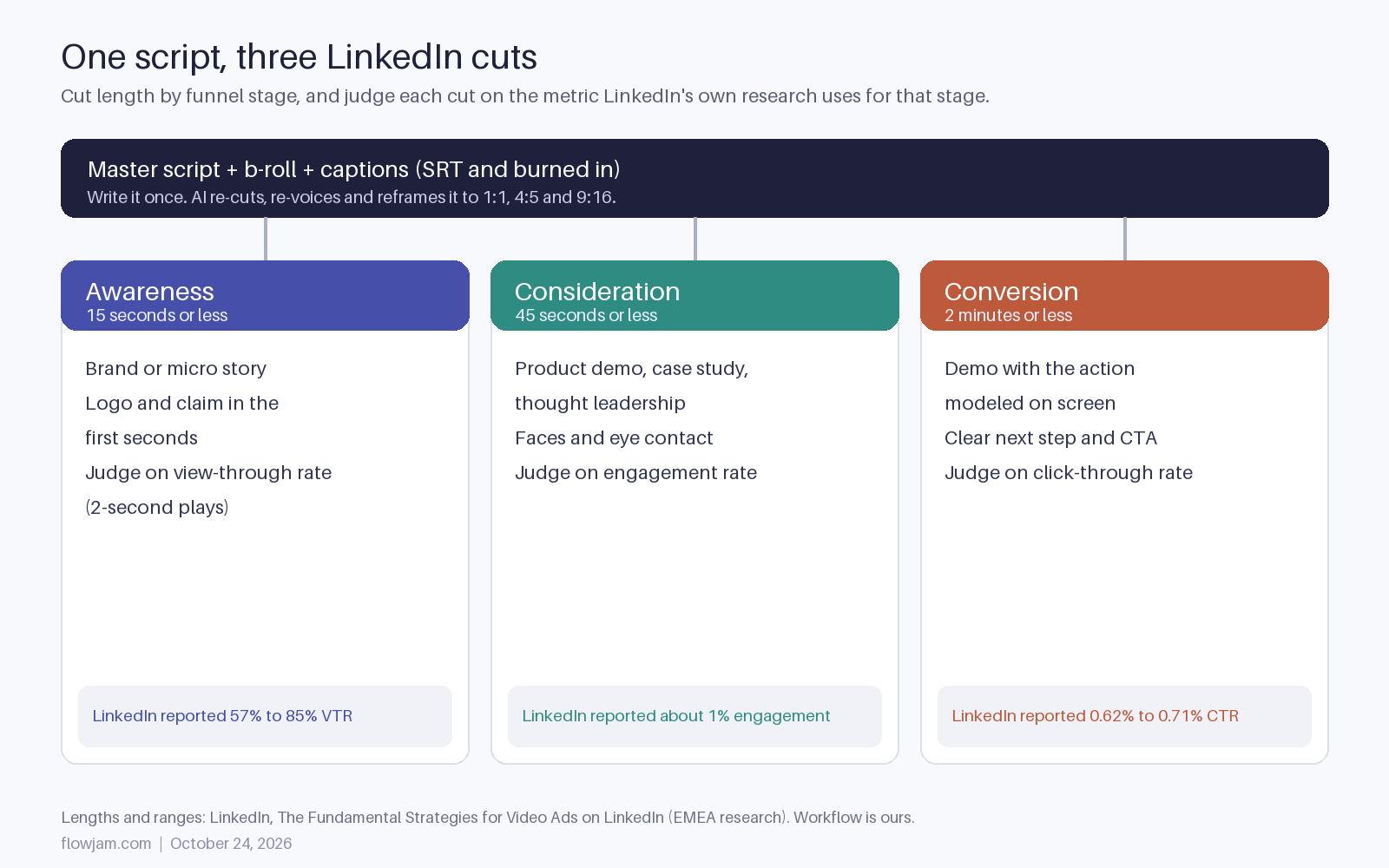
Make LinkedIn video ads with AI from one script cut three ways: 15s awareness, 45s consideration, 2 min conversion. Caption it all. Never fake a customer.

A lot of AI-made LinkedIn video ads lose the budget in the first two seconds: a six-second vertical clip, an avatar talking with the sound off, and a completion-rate chart that says it's working.
LinkedIn's own research on B2B video creative says nearly the opposite (The Fundamental Strategies for Video Ads on LinkedIn). Our fix is one workflow: write one script, generate the footage and voice once, and let AI cut it three ways, a 15-second awareness cut, a 45-second consideration cut and a 2-minute conversion cut, each captioned and reframed for the feed.
The six defaults below come in the order you'll hit them: planning, then production, then the one with legal risk.
Default 1: every LinkedIn ad should be six seconds
Six seconds is a billboard, and B2B buyers are signing a contract. The six-second habit comes from consumer video advice, and LinkedIn's research pushes back on it directly. The guide's foreword says being told to keep video under six seconds "doesn't help a brand selling cloud data storage or freight shipping."
What the research found instead was a length per job. Brand stories of 15 seconds or less were the strongest top-of-funnel performers, with view-through rates of 57% to 85%. Product demos, case studies and thought leadership of 45 seconds or less led mid-funnel at about a 1% engagement rate. For conversion, demos up to 2 minutes drove click-through rates of 0.62% to 0.71%.
LinkedIn's spec page says the same thing more briefly. It recommends 15 to 30 seconds to qualify for the most placements, allows anything from 3 seconds to 30 minutes, and tells you to "show the most impactful content in the first 10 seconds" (LinkedIn video ad specs).
This is where AI actually saves money. Writing three separate ads used to mean three edits. With one master script, you mark which lines belong in the 15-second cut, which add up to 45, and what the 2-minute demo adds, then let the editor assemble all three.
Default 2: completion rate tells you if it worked
A finished view nobody acts on is worth less than a half-watched demo that books a call. LinkedIn's guide lists this as one of its five takeaways: don't get distracted by completion rates if your audience is watching enough to take the action you want.
Match the metric to the cut. Judge the 15-second awareness cut on view-through rate, which LinkedIn counts as plays of at least the first two seconds. Judge the 45-second cut on engagement. Judge the 2-minute demo on clicks and the leads behind them. A 2-minute demo that half the audience abandons at 40 seconds can still be your best ad if the people who stay book calls.
Most AI ad tools report completion rate first because it's easy to show. Ignore that and set up the comparison yourself. Our post on testing AI video ads covers how many variants to run at once without splitting the budget into noise.
Default 3: the slow cinematic build
AI video generators make it tempting to open on a sweeping establishing shot because it looks expensive. Expensive-looking is not the same as stopping the scroll. On LinkedIn it costs you the first two seconds, which is the exact window the view-through metric counts.
Open on the problem, the product or a face looking at the camera. LinkedIn's guide also recommends relatable characters and eye contact to lift engagement, and modeling the action you want people to take in conversion ads. In practice that means showing someone actually using the product on screen, then a clear next step.
Our video ad hooks post has openers that work in the first two seconds.
Default 4: the AI voiceover carries the message
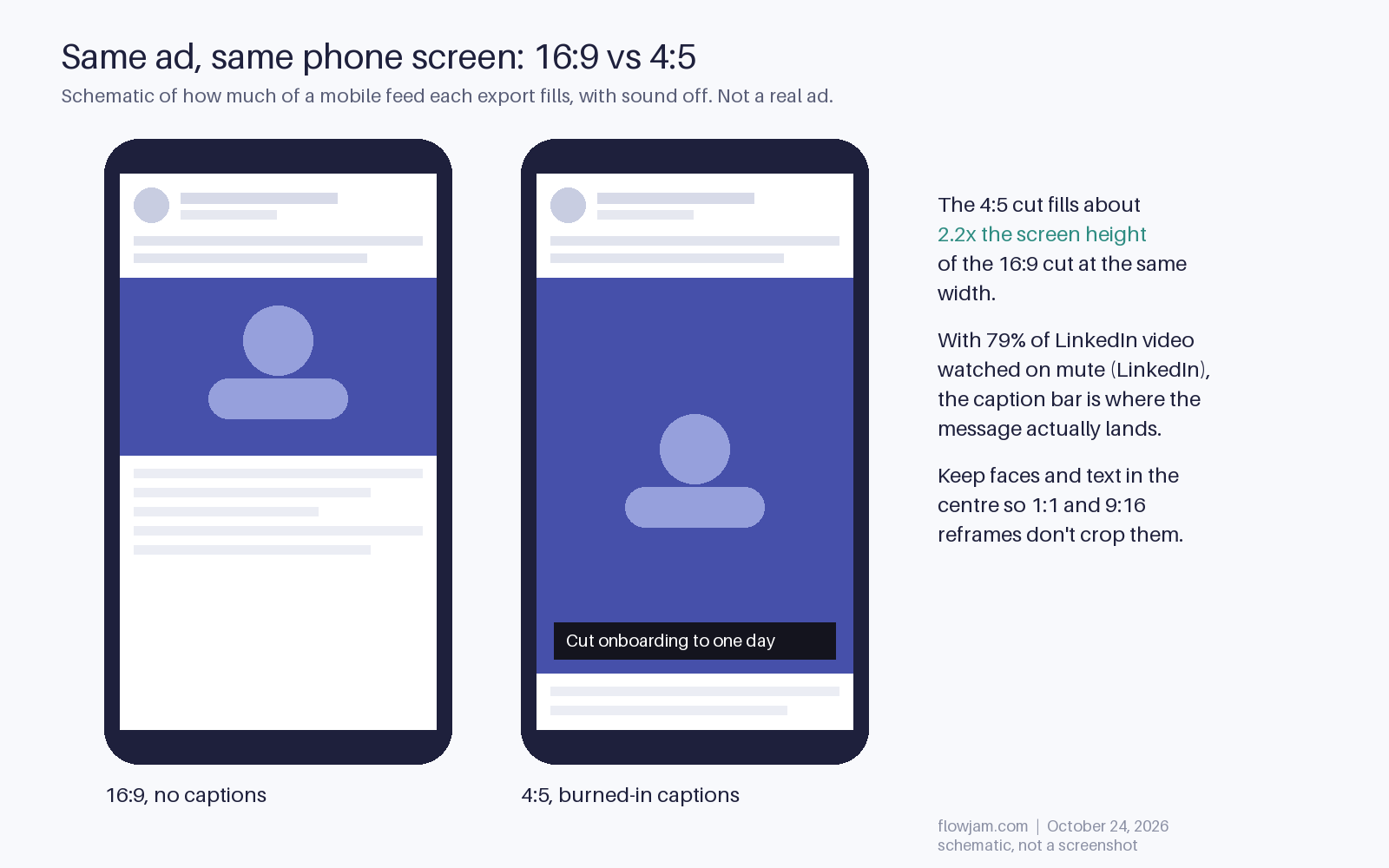
On LinkedIn, 79% of videos are watched with the sound off, according to the same LinkedIn guide. If the ad needs sound, it's a radio ad most of your audience never hears.
So write for the screen first. Every claim the voiceover makes should also appear as on-screen text or be obvious from the picture. Burn the captions in for the feed, and also upload an SRT file, which LinkedIn accepts as plain text only (spec page). AI captioning gets you most of the way. Read the result once, because product names and acronyms are where it fails.
The voice still matters for the people who tap to unmute. It just can't be the only place the message lives.
Default 5: one 16:9 export is enough
LinkedIn takes 16:9, 1:1, 4:5 and 9:16, and a lot of feed scrolling happens on phones (specs). A 16:9 ad on a phone is a letterbox with your logo in it.
Generate or reframe to 4:5 as the default feed cut, keep 1:1 as a fallback, and use 9:16 where you want full-screen mobile. Keep text and faces inside the center of the frame so a reframe doesn't cut them off. AI reframing handles most of this. Check every cut anyway, because it likes to center on the wrong person.
The copy around the video counts too. LinkedIn suggests keeping intro text to about 150 characters and the headline to about 70 so they don't truncate. For the full export checklist across platforms, see our video ad specs guide.
Default 6: an AI avatar can play your customer
Your avatar can speak for you. It can't speak as your customer. This is the one that can get you in real trouble. An avatar presenting your product as your company is fine. An avatar presented as a happy customer who doesn't exist is a fake testimonial.
In the US, the FTC's rule on consumer reviews and testimonials bans testimonials that misrepresent they're by someone who doesn't exist, which the FTC has said covers AI-generated ones, and bans disseminating them if you knew or should have known (16 CFR 465.2). LinkedIn's own community policies say not to share synthetic media that depicts a person saying something they didn't say without clearly disclosing it, and that it doesn't allow fake profiles or entities (Professional Community Policies).
There's also a label you may not plan for. LinkedIn shows a CR (Content Credentials) icon on single image and video ads when the uploaded file carries C2PA provenance data, and clicking it can reveal that AI generated or edited part of the content (LinkedIn help: Content Credentials). If your tool embeds those credentials, the audience can see it was made with AI. Plan for that rather than hope nobody clicks.
What works instead: a real customer's quote on screen with their permission, a real founder clip or a consented avatar of the founder labeled as AI, and AI-generated b-roll for product scenes.
This guide is part of our hub on AI video ads in 2026, covering tools, workflow and what converts. Flowjam makes the master video from your product and a script, then cuts it to each length and ratio.
AP
About the author
Adam Petty
Founder, Flowjam
Adam is the founder of Flowjam, where he helps startups turn ideas into launch videos, product demos, and ads with AI video. He writes about AI video production, creative workflows, and go-to-market for early-stage teams.
Frequently asked questions
How long should a LinkedIn video ad be?
It depends on the goal. LinkedIn's research found 15 seconds or less worked best for awareness, 45 seconds or less for consideration and up to 2 minutes for conversion. LinkedIn's spec page recommends 15 to 30 seconds for the widest placement eligibility and allows 3 seconds to 30 minutes.
Can I use AI to make LinkedIn video ads?
Yes. LinkedIn doesn't ban AI-made ads. The limits are about deception: don't show synthetic people saying things they didn't say without disclosure, and don't present AI-generated people as real customers, which the FTC's fake review rule prohibits in the US.
Does LinkedIn label AI-generated video ads?
LinkedIn shows a CR Content Credentials icon on single image and video ads when the uploaded file contains C2PA provenance data. Clicking it can show whether AI was used to generate or edit the content. Files without that metadata don't get the icon automatically.
Do LinkedIn video ads need captions?
Captions are optional in the specs but you should treat them as required. LinkedIn's research found 79% of videos on the platform are watched with the sound off. Burn captions in and upload an SRT file, which LinkedIn accepts as text only.
What aspect ratio is best for LinkedIn video ads?
LinkedIn supports 16:9, 1:1, 4:5 and 9:16. Use 4:5 as the main feed cut for mobile, keep 1:1 as a fallback and add 9:16 for full-screen mobile placements. Keep text and faces centered so reframing doesn't crop them.
Which metric should I use to judge a LinkedIn video ad?
Match it to the funnel stage. View-through rate (plays of at least two seconds) for awareness cuts, engagement rate for consideration cuts and click-through rate and leads for conversion cuts. LinkedIn's own guide warns against fixating on completion rate.
Can an AI avatar give a customer testimonial in my ad?
Not as a made-up customer. The FTC's rule at 16 CFR 465.2 bans testimonials that misrepresent they're from someone who doesn't exist, including AI-generated ones. Use a real customer's quote with permission, or a disclosed avatar speaking for your company.





Launch videos for
moon-shot founders.

About
We're a video production studio partnering with AI founders and startups. We make launch videos to show the world what you're building.
London / San Francisco
Made with love from London / San Francisco. Collaborating with clients worldwide.
Contact
Adam Petty
Founder
adam@flowjam.com
Founder
adam@flowjam.com