
Viral launch videos for moon-shot founders 
Flowjam partners with AI founders and startups aiming for the moon, to create story-driven launch videos to build hype and show the world what they're building.

Full PortfolioBlog
Flowjam works with some of the most successful AI founders in the world after only launching in 2023.
Copyright 2026. Flowjam Ltd.
Copyright 2026. Flowjam Ltd.
Product Launch Video Script: A 60-Second Template, Filled In
A product launch video script in five beats: problem, product, the moment it works, who it's for, the ask. A 60-second example and a 30-second cut for X.

A 60-second product launch video script has five beats: the problem in one line, the product on screen, the moment it works, who it's for, and the ask. That's about 150 words of voiceover at most, and the product should be visible by second five.
Below is the template filled in for a made-up product, then the rules for each beat. If you only copy one thing, copy the timings.
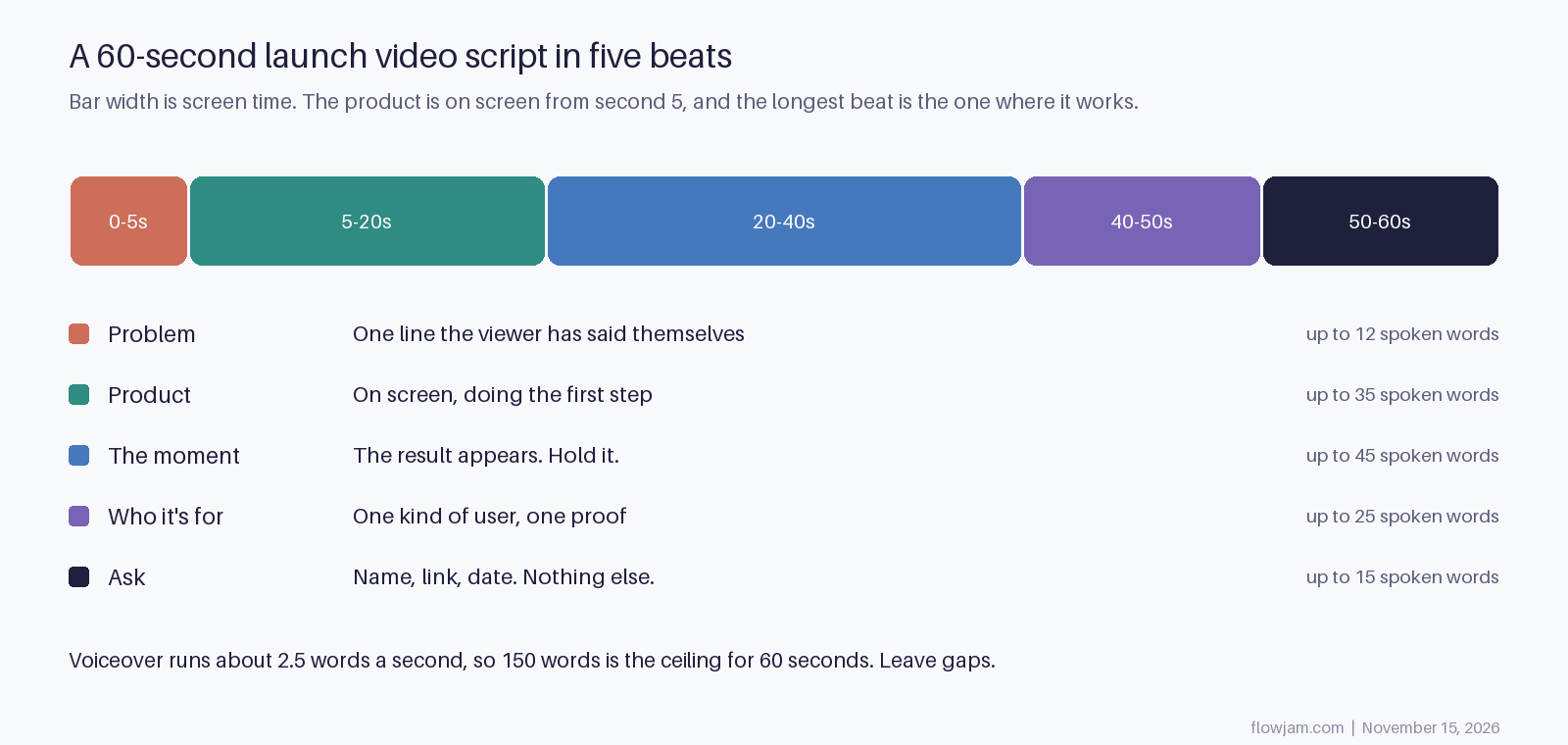
A product launch video script, filled in
The product is Kettlewise, a tool that turns a recorded sales call into a finished CRM update. Kettlewise isn't real. It's here so the script has something concrete to show.
| Time | On screen | Voiceover |
|---|---|---|
| 0 to 5s | A sales rep still typing call notes. The laptop clock says 6:47pm. | "You finished the call twenty minutes ago. You're still typing notes." |
| 5 to 20s | The Kettlewise window. The call recording drops in and starts processing. | "Kettlewise listens to the call for you. Drop the recording in, or connect your dialer once and it runs on its own." |
| 20 to 40s | The CRM record fills itself in: deal stage, next step, the objection, a draft follow-up email. Hold three seconds on the finished record. | "Deal stage. Next step. The objection they raised. A follow-up email in your voice." Then silence while the record sits on screen. |
| 40 to 50s | A sales team's pipeline view, every record complete. | "Built for sales teams who live in their CRM and hate updating it." |
| 50 to 60s | Logo, one line of text, the link. | "Kettlewise. Live today. Link below." |
That's about 65 words of voiceover, well under half the ceiling. The rest of the time the screen does the talking, which is the point. A launch video that needs every second of narration is usually describing a product it isn't showing.
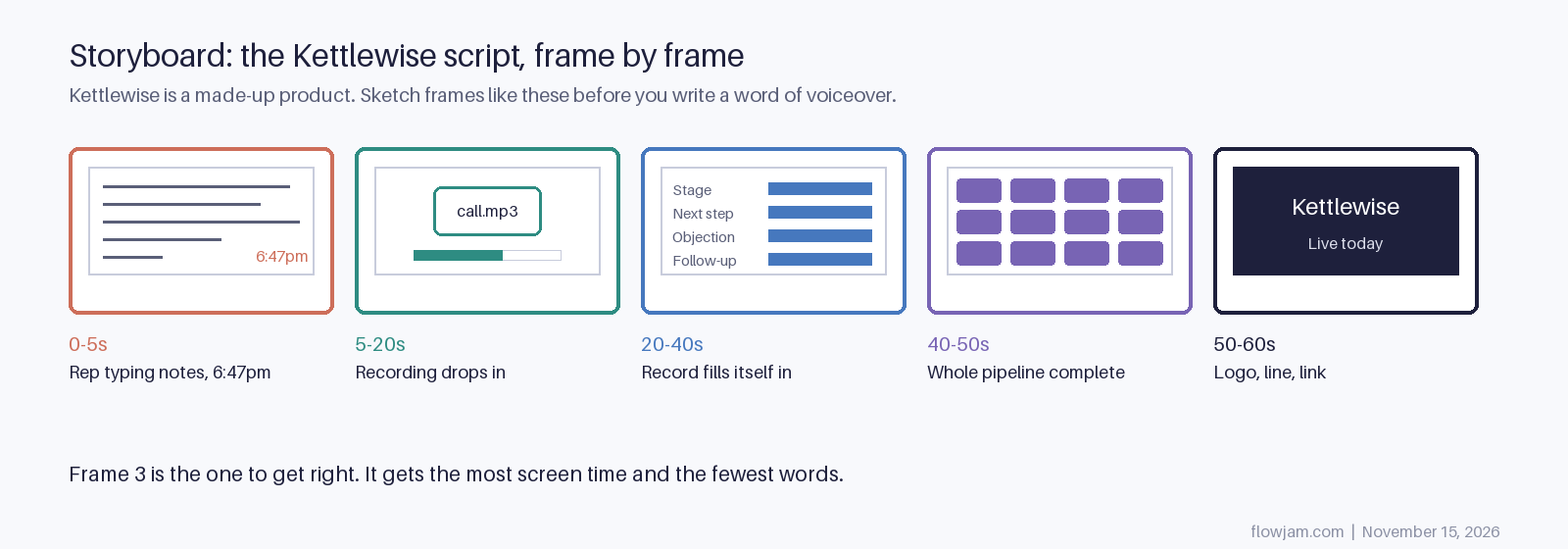
Rules for each beat
- Problem: write a line your user has actually said or typed. If it sounds like a headline, it's wrong. "You're still typing notes" beats "Sales admin is broken".
- Product: show the first real step, not the logo and not the homepage. If your product has a setup screen, skip it.
- The moment: this is the reason the video exists. Show the result arriving, then stop talking and let it sit. If you can't point to one moment, the script isn't ready.
- Who it's for: name one kind of user. A list of five audiences tells each of them it isn't really for them. Add proof only if it's real, like a beta count you can stand behind. No proof is better than a vague one.
- Ask: one action. If you have a launch date, say it. If you're live, say "live today" and point at the link. Don't add a second ask.
Write the on-screen column first and the voiceover second. Most bad scripts are written the other way round: someone writes a paragraph about the product, then hunts for footage to cover it.
The 30-second cut for X
On X you'll often want something shorter. Cut beat four entirely, shrink the product beat to five seconds, and open on the moment rather than the problem if the result is visual enough to stand alone. A 30-second version of the Kettlewise script opens on the record filling itself in, then the problem line plays over it.
Captions matter more on X, where plenty of people scroll with sound off, so every voiceover line needs to work as on-screen text too. Specs, aspect ratios and upload settings are in our X launch video guide, and the post that carries the video is covered in the guide to launching on X.
What usually goes wrong
- Reading the landing page aloud. Landing page copy is written to be skimmed. Spoken, it sounds like an ad for an ad.
- A feature tour. Five features at six seconds each means nothing lands. Pick the one that makes the moment and drop the rest.
- Opening on the logo or the founder's face saying "Hi, I'm". Nobody knows you yet. Lead with the problem or the product.
- Writing for the investors instead of the user. Market size and vision belong in the deck.
You can write this script yourself in an afternoon with the template above, and for many products you should. Where founders get stuck is the moment: they're too close to the product to see which ten seconds make a stranger get it. That's the part we do at Flowjam. We find the scene, write the script around it and make the video. Our story-driven launch videos have averaged over 100,000 views with no media budget. See the launch videos we've made.
AP
About the author
Adam Petty
Founder, Flowjam
Adam is the founder of Flowjam, where he helps startups turn ideas into launch videos, product demos, and ads with AI video. He writes about AI video production, creative workflows, and go-to-market for early-stage teams.
Frequently asked questions
How long should a product launch video script be?
For a 60-second video, no more than about 150 words of voiceover, since people speak at roughly 2.5 words a second. Aim for less. Gaps where the product is on screen with no narration make it easier to follow.
Do I need a voiceover at all?
No. Many launch videos use on-screen text and music only. Write the script the same way, but put the voiceover lines on screen as short captions.
What if I'm recording myself talking to camera?
Still use the five beats, but write bullet points rather than full sentences so you don't sound like you're reading. Cut to the product by second five and keep your face for the problem and the ask.
How do I script a launch video for an API or developer tool?
The moment is usually a terminal or code editor: a short command goes in and a useful result comes out. Show the result in a way a non-developer could still recognise, such as the app it powers.
What's the difference between a launch video script and a demo video script?
A launch video sells one moment to strangers in about a minute. A demo walks someone who is already interested through how the product works, so it can run several minutes and cover several features.





Launch videos for
moon-shot founders.

About
We're a video production studio partnering with AI founders and startups. We make launch videos to show the world what you're building.
London / San Francisco
Made with love from London / San Francisco. Collaborating with clients worldwide.
Contact
Adam Petty
Founder
adam@flowjam.com
Founder
adam@flowjam.com